


Login and Password Support
Logging in securely ensures you access the correct business accounts and tools. Follow the steps below to log in, reset your password if needed, and stay secure during your session.
How to Login
- Go to www.ourfirstfed.com and click “Login.”
- Choose “Business” from the login options.
- Enter your Username
- Enter your Password
- Click “Login.”
Note: Both usernames and passwords are case-sensitive.
Before You Begin
Make sure the following are set up on your account:
- A valid primary email address
- At least one security question and answer (can be managed in “Services & Settings”)
You’ll need:
- Your Username
- Your Primary Email Address
- One of your Account Numbers
You may be prompted to verify your identity with one of the following:
- A code from your physical security token
- A security code sent to your email
- A text message or voice call with a security code
Once authenticated, you’ll be directed to the Business Digital Banking overview page.
- After three incorrect password attempts, your access will be temporarily disabled.
- A fourth incorrect attempt will block your account.
- To regain access, use the “Forgot Password?” link or call First Fed Customer Service at 800-800-1577.
You can reset your password securely using the “Forgot Password?” link on the login page.
To begin the 4-step process to reset your password, click “Forgot Password?” on the login page.
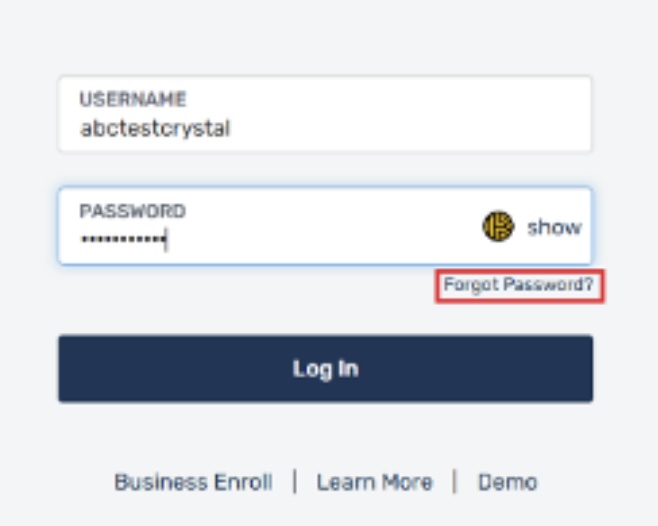
Step 1: Account Validation
- Enter your Username, Primary Email Address, and Account Number, then click “Submit.”
- You have up to 3 attempts. After that, call 800-800-1577 for assistance.
Step 2: Security Verification
- Answer your saved security question(s) and click “Submit.”
Step 3: Get Your Temporary Password
- Choose how you’d like to receive your temporary password:
- By default, it will go to your primary email
- If you’ve enabled other options (text or voice), you can choose one
- Click “Submit” to send the temporary password.
Step 4: Reset Your Password
- Enter the temporary password you received
- Create a new password that meets the on-screen requirements
- Enter the new password in both fields and click “Submit”
If successful, you’ll be logged in, and your new password will be active immediately.
For your security, your session will automatically log out after 15 minutes of inactivity.
- You’ll see a warning with a 1-minute countdown
- Click “OK” to stay logged in
- If the session times out, you’ll need to log in again